This 20-point YouTube SEO checklist is a pre-publish and post-publish quality-control system. It does not promise rankings. It helps you align the topic, packaging and video, then use YouTube Analytics to find the next bottleneck.
How to use it: copy the worksheet into your planning document, mark each relevant item, record the publication date and return after enough comparable traffic has accumulated.
Planning and evidence: points 1–5
- Define one viewer problem. Write the exact question or desired outcome in one sentence.
- Confirm the video has a distinct reason to exist. Add a demonstration, original example, useful comparison or first-hand experience.
- Choose the likely discovery path. Search-led, Browse-led and Suggested-led videos need different packaging and benchmarks.
- Collect primary sources. Save the official documents, datasets or product pages needed to verify factual claims.
- Set the success measure. Choose the metric that matches the goal, such as relevant search impressions, watch time or next-video clicks.
Packaging: points 6–10
- Write an accurate title. State the topic and benefit clearly; do not force a keyword into awkward wording.
- Design a readable thumbnail. Check it at mobile size and make sure it supports the title instead of repeating it.
- Make one promise. The title and thumbnail should communicate the same expectation.
- Avoid misleading urgency or results. Do not claim guaranteed views, earnings or growth.
- Prepare one alternate package. Save a genuinely different title or thumbnail idea for a later controlled test.
Video and metadata: points 11–15
- Deliver the promise early. Remove greetings or background that delay the useful part.
- Write a unique description. Summarize the video accurately, add useful links and disclose relevant relationships.
- Add accurate captions. Review names, technical terms and punctuation.
- Add chapters when they help navigation. Use descriptive labels that match the actual sections.
- Use tags as secondary support. Add relevant variants or common misspellings; do not treat tags as the main ranking lever.
Viewer journey and review: points 16–20
- Add a relevant next-view path. Use a playlist, end screen or description link that continues the viewer’s task.
- Check every link and disclosure. Verify destinations on desktop and mobile.
- Record the published package. Save the title, thumbnail version and publication date.
- Review by traffic source. Compare impressions, CTR, watch time and retention for Search, Browse and Suggested separately.
- Change one major variable. Log the change and wait for a comparable sample before judging it.
Copyable review worksheet
| Check | Status | Evidence or note |
|---|---|---|
| Viewer problem is specific | Not started / Done | |
| Original evidence is included | Not started / Done | |
| Title and thumbnail make one accurate promise | Not started / Done | |
| Description, captions and chapters are accurate | Not started / Done | |
| Next-view path is relevant | Not started / Done | |
| Post-publish review date is recorded | Not started / Done |
How to diagnose the result
| Pattern | Likely question | Next review |
|---|---|---|
| Few relevant impressions | Is the topic too narrow, too competitive or poorly matched to the channel? | Check query relevance, topic fit and distribution. |
| Impressions but weak CTR | Does the package communicate a clear, accurate benefit? | Review title and thumbnail together. |
| Clicks but early retention drop | Does the opening deliver the promise quickly? | Compare the first major drop with the script and edit. |
| Good viewing but little continuation | Is the next step relevant and visible? | Review end screen, playlist and verbal transition. |
Product evidence: using diagnostics without trusting the score blindly
The current public YourAI Studio interface shows a per-video diagnostic breakdown for title strength, description quality, tag relevance, keyword overlap and prioritized improvements. The example numbers below are demonstration data. Use any recommendation as a review prompt, then verify it against YouTube Studio.
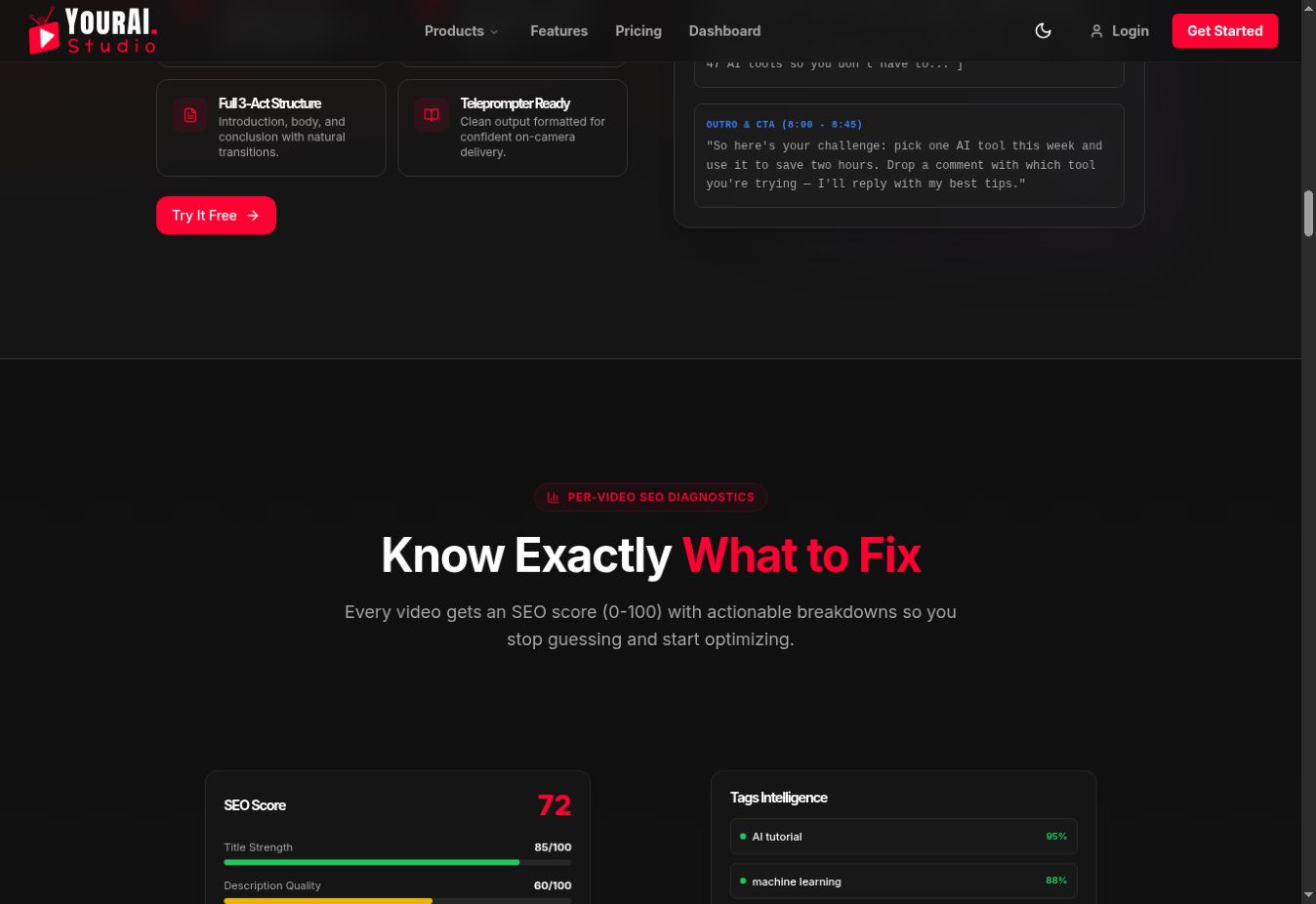
Open YourAI Studio if you want the diagnostic workflow in one dashboard. The checklist still requires editorial judgment and first-party analytics.
Common mistakes
- Claiming “verified search volume” without a reliable source or context.
- Forcing a keyword into the filename, spoken opening and every field.
- Adding arbitrary numbers of tags, cards or end-screen elements.
- Changing the title, thumbnail and description together.
- Completing the checklist once and never reviewing the published video.
Frequently asked questions
Do tags still matter for YouTube SEO?
YouTube says tags can help with misspellings and context, but the title, thumbnail and description are more important for discovery.
Should every video target search?
No. Some videos are designed primarily for Browse, Suggested, subscribers or external audiences. Match the checklist and benchmarks to the intended discovery path.
When should I update an old video?
Update it when the topic remains useful and analytics reveal a clear packaging, accuracy or navigation problem. Keep a change log so you can interpret the result.
Official references
- YouTube Help: Add tags to videos
- YouTube Help: Add video thumbnails
- YouTube Help: Add end screens
- YouTube Help: Video chapters
- YouTube Help: Get started with Analytics