A YouTube SEO checker is useful when it turns a vague problem such as “this video is not getting views” into a clear diagnostic. It should review the video’s topic, title, thumbnail, description and performance data, then show which part of the funnel needs attention. A score can summarize the review, but the explanation behind the score matters more than the number.
What a YouTube SEO checker should evaluate
- Search intent: Does the video answer the question implied by its target phrase?
- Title and thumbnail: Are they accurate, understandable and compelling as one package?
- Description: Is it unique, useful and consistent with the video?
- Discovery: Which traffic sources and search queries are producing impressions?
- Viewer response: Do CTR, watch time and retention support the promise made by the packaging?
Do not treat tags as the main ranking lever. YouTube’s own guidance says that the title, thumbnail and description are more important for discovery, while tags mainly help with context and common misspellings.
A five-step video diagnostic
- Open the video in YouTube Studio and record impressions, CTR, traffic sources, average view duration and key retention moments.
- Check whether the title and thumbnail accurately communicate one clear outcome.
- Review YouTube Search queries. If the video appears for the wrong intent, tighten the wording instead of repeating more keywords.
- Compare the video only with similar videos from your own channel. A Short, tutorial and live stream should not share one benchmark.
- Change one major variable, record the date, and wait for a comparable sample before judging the result.
How to interpret an SEO score
An SEO score is a checklist, not a promise of rankings. A high score cannot compensate for a weak topic or dissatisfied viewers. Use it to catch missing or inconsistent elements, then rely on real impressions, CTR and watch-time data to decide what to improve.
Product evidence: what we verified
On September 1, 2026, we checked the current public YourAI Studio interface. The per-video diagnostics preview visibly breaks the review into title strength, description quality, tag relevance, keyword overlap and prioritized improvements. We did not treat the example score or percentages as customer results; they are interface demonstration data.
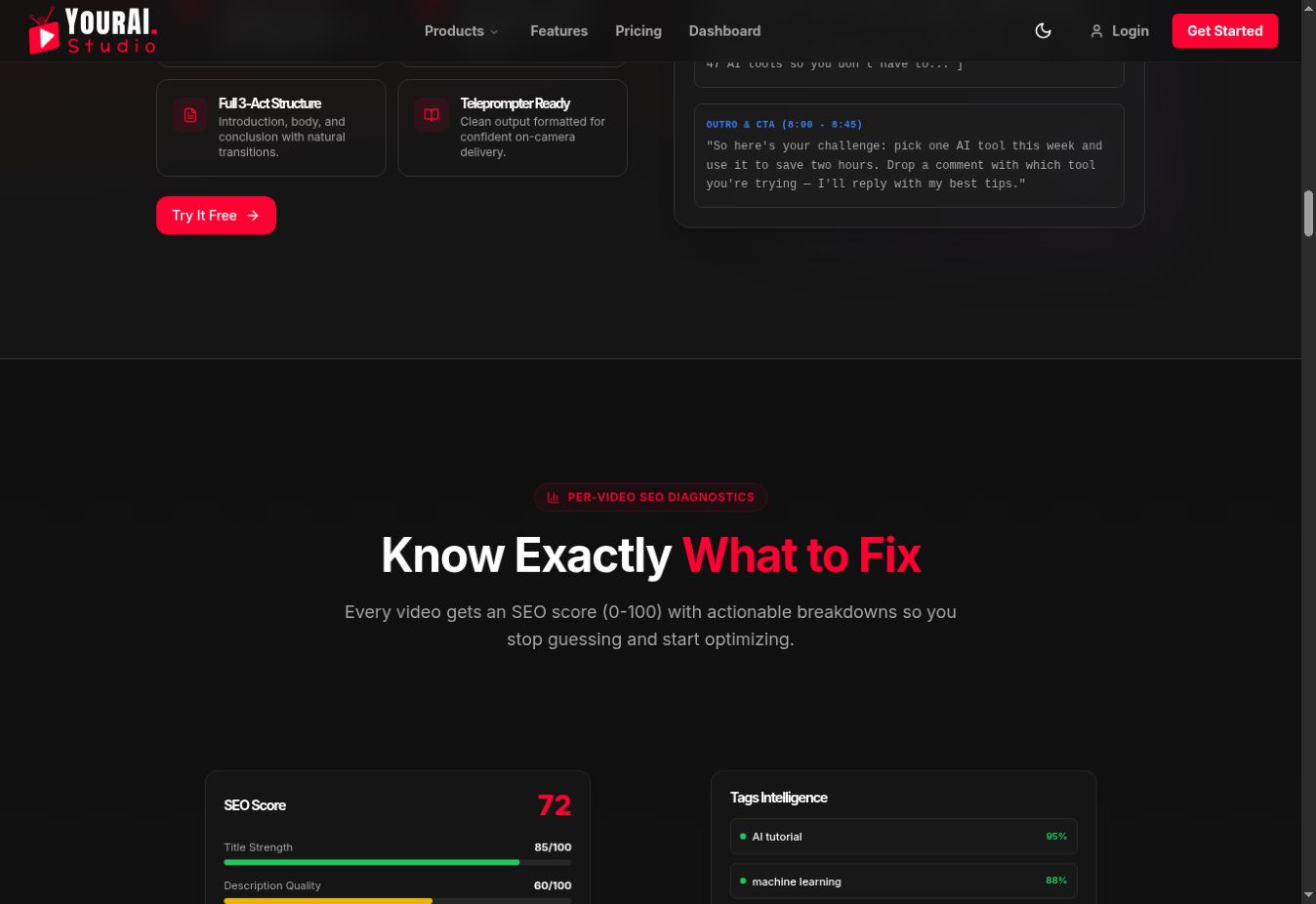
This is the right level of detail for a checker: show the reason behind a recommendation, then let the creator compare it with first-party YouTube Analytics.
Using YourAI Studio
YourAI Studio combines video SEO diagnostics with title, description and tag suggestions, channel analytics, thumbnail guidance and competitor research. The public Starter plan currently says it can sync the latest five videos. Confirm current plan limits on the product’s pricing page before subscribing.
Common mistakes
- Chasing a perfect score instead of answering the viewer’s question.
- Stuffing descriptions and tags with repeated phrases.
- Using the same benchmark for every traffic source.
- Changing title, thumbnail and description at the same time.
- Assuming an AI recommendation is correct without reviewing the video.
Frequently asked questions
Can an SEO checker guarantee more views?
No. It can identify fixable weaknesses, but distribution depends on audience fit, competition, packaging and viewer satisfaction.
Which metric should I check first?
Start with the bottleneck. Low impressions may point to topic or distribution problems. Impressions with weak CTR point to packaging. Clicks with poor retention point to a mismatch between the promise and the video.
How often should I recheck a video?
Review after a meaningful change and after enough comparable traffic has accumulated. Avoid reacting to small daily fluctuations.